Project details
Technology is not going anywhere and it is growing day by day. At UVU’s Capitol Reef Field Station, they were curious about incorporating technology as a mean of teaching visitors about the wonders that exist in every trail of the park.
To accommodate to their needs, we introduced the client to iBeacon technology and explained to them how geo-fencing could potentially enhance the experience at the park. In order to see if this type of technology would be a viable option for their park we decided to create a proof-of-concept project where my team would create an application that would work with iBeacon technology to teach visitors about Capitol Reef Field Station and their practices.
The Process
SCOPE
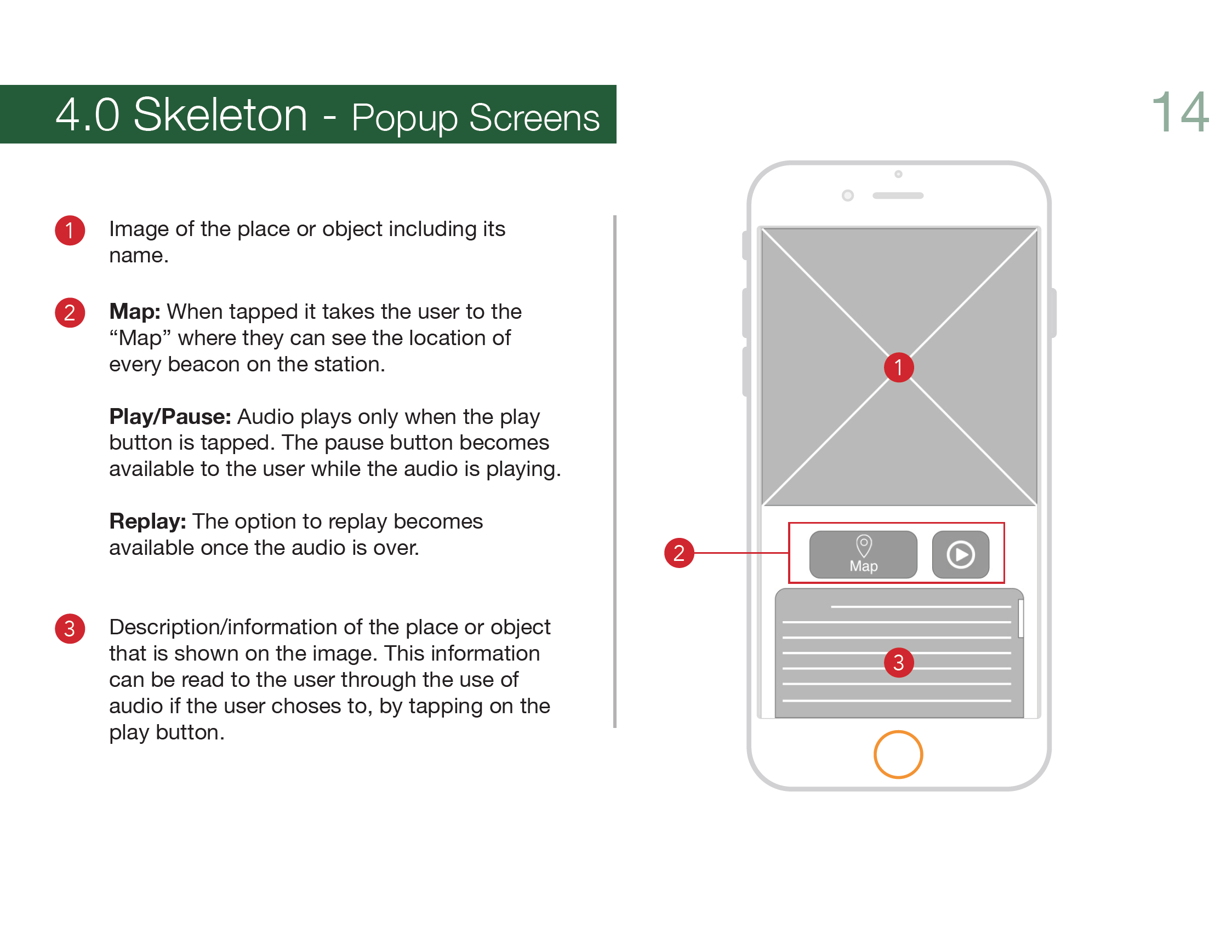
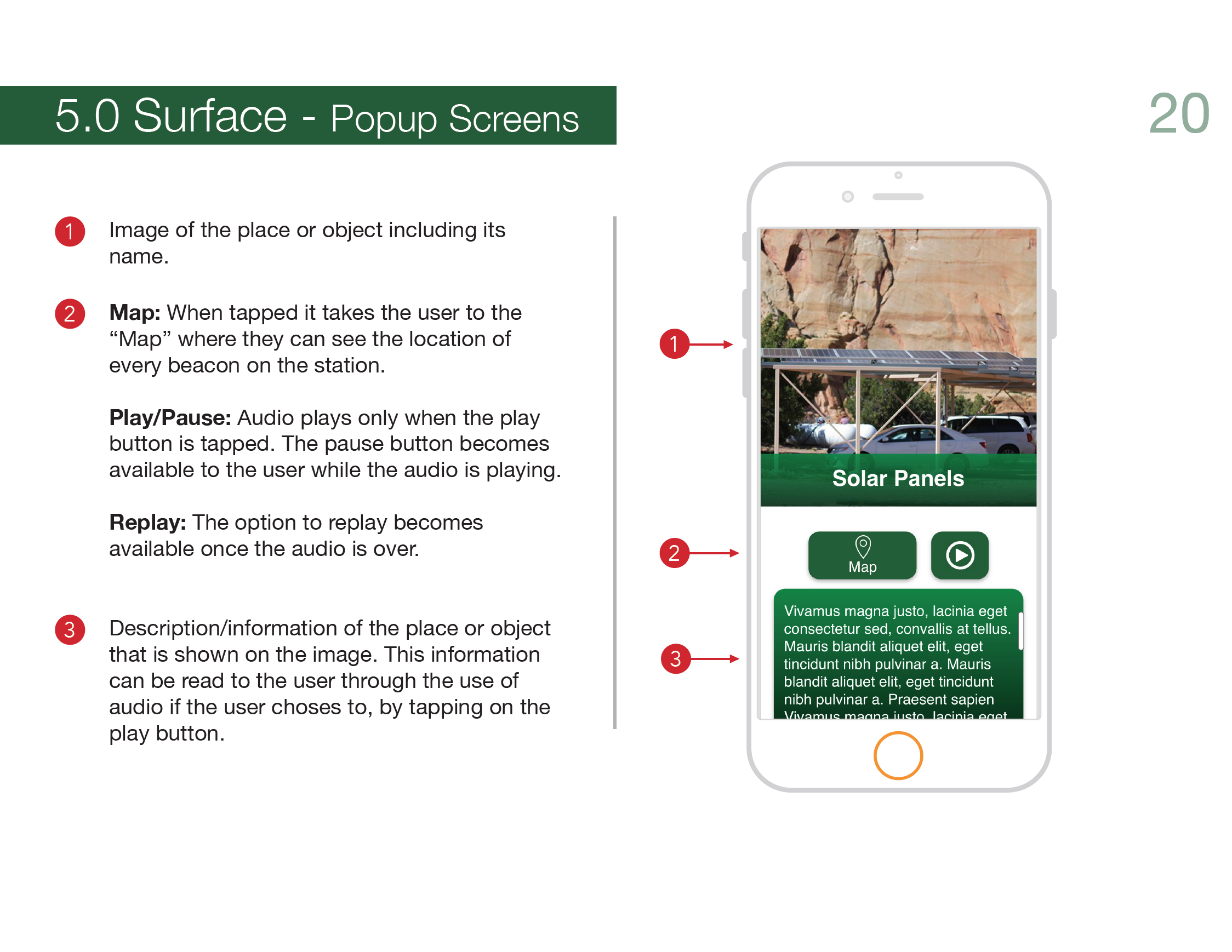
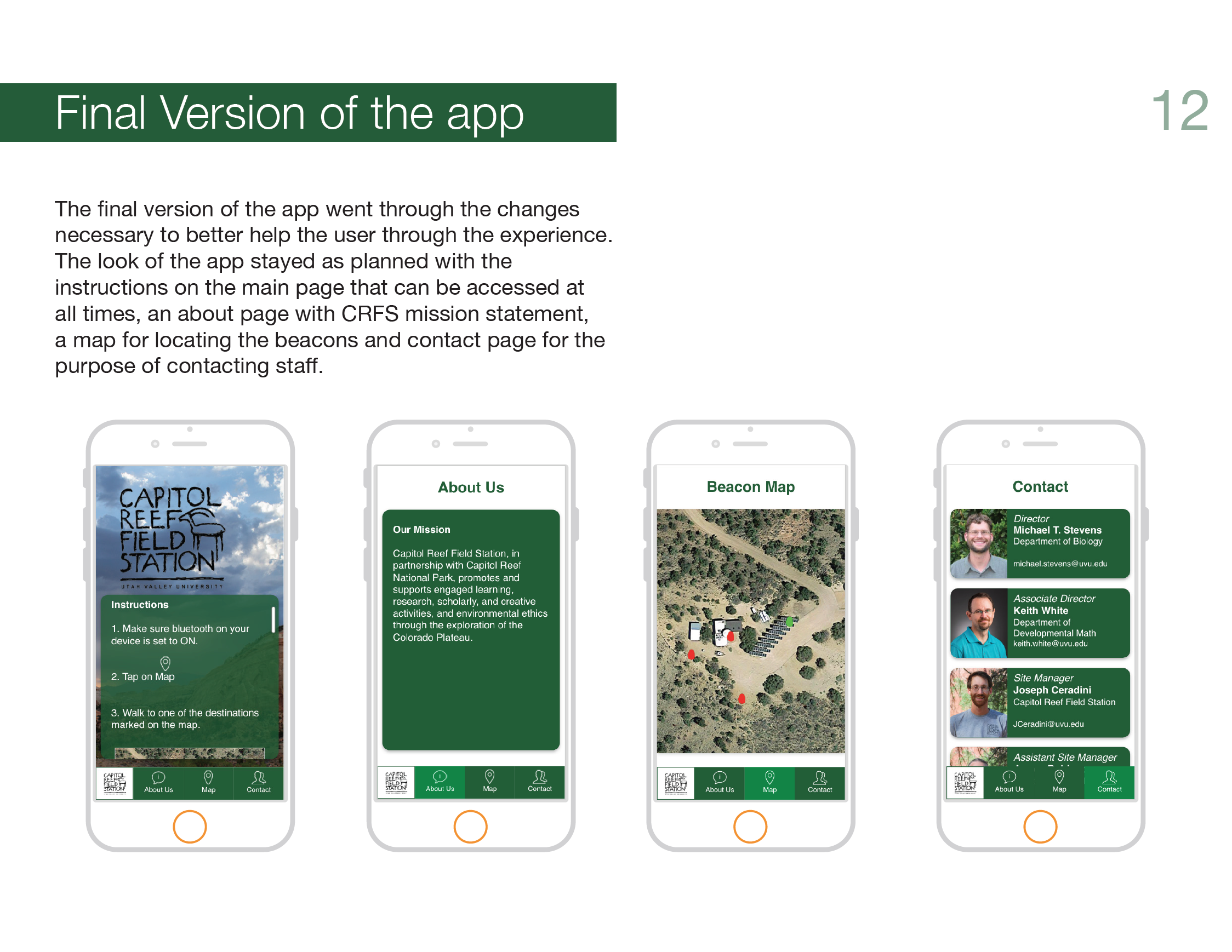
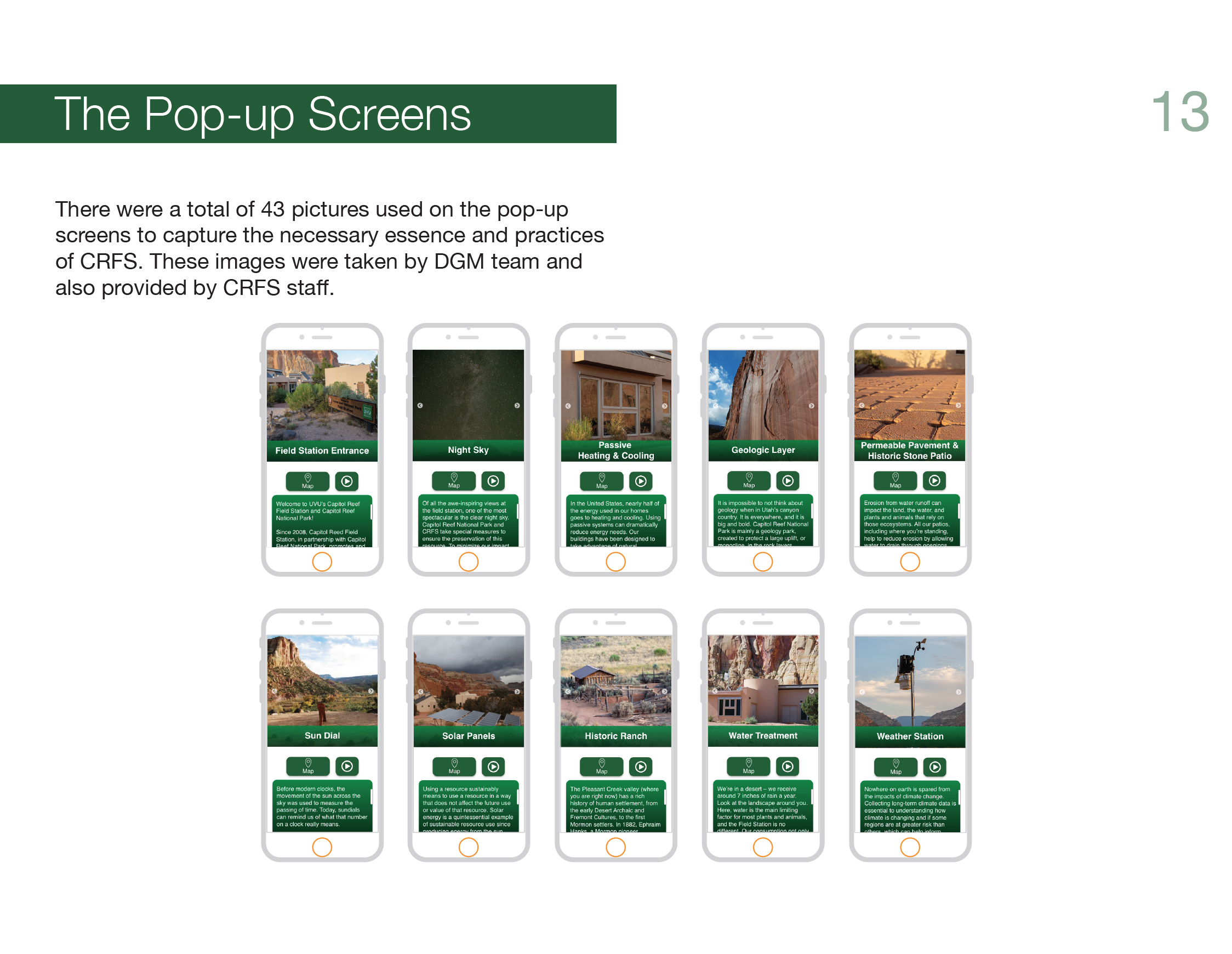
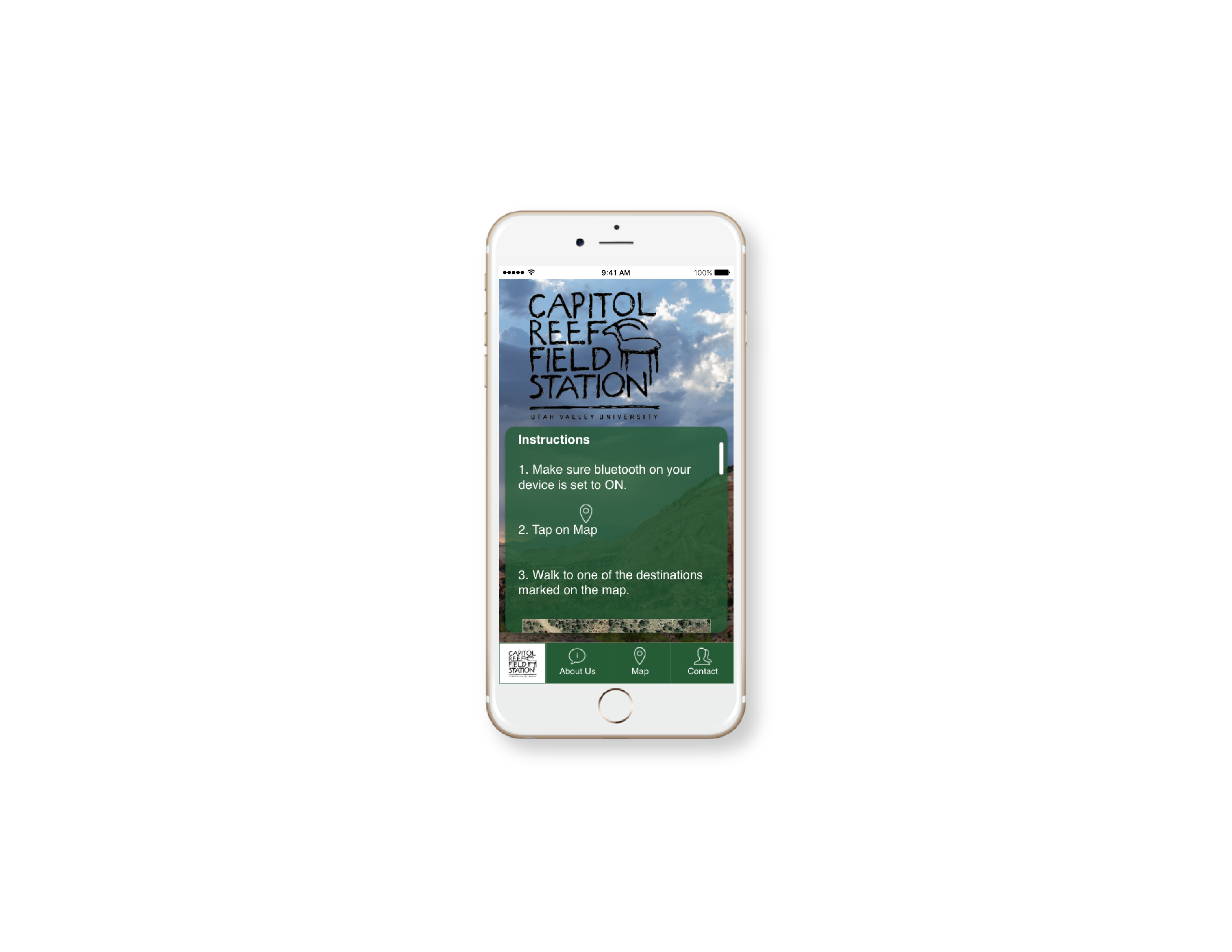
The scope of the project was to create an application that would work with proximity beacons that would be placed around Capitol Reef Field Station. This application would allow visitors to learn about the practices at CRFS. With the app open the user would be able to use the “Map” feature to look for the location of these beacons, once they approach them, a popup with information would come up on their screen. The entire experience would also be used as proof of concept for future projects involving proximity beacons.
RESEARCH
Because this was new technology for everyone involved, we started by doing online research about proximity beacons. During our research we found out the type of beacons we needed to use, the radius of the Bluetooth signal that it would emit and lifespan of the beacons. The developer also did research about the programing of the beacons.
PERSONAS
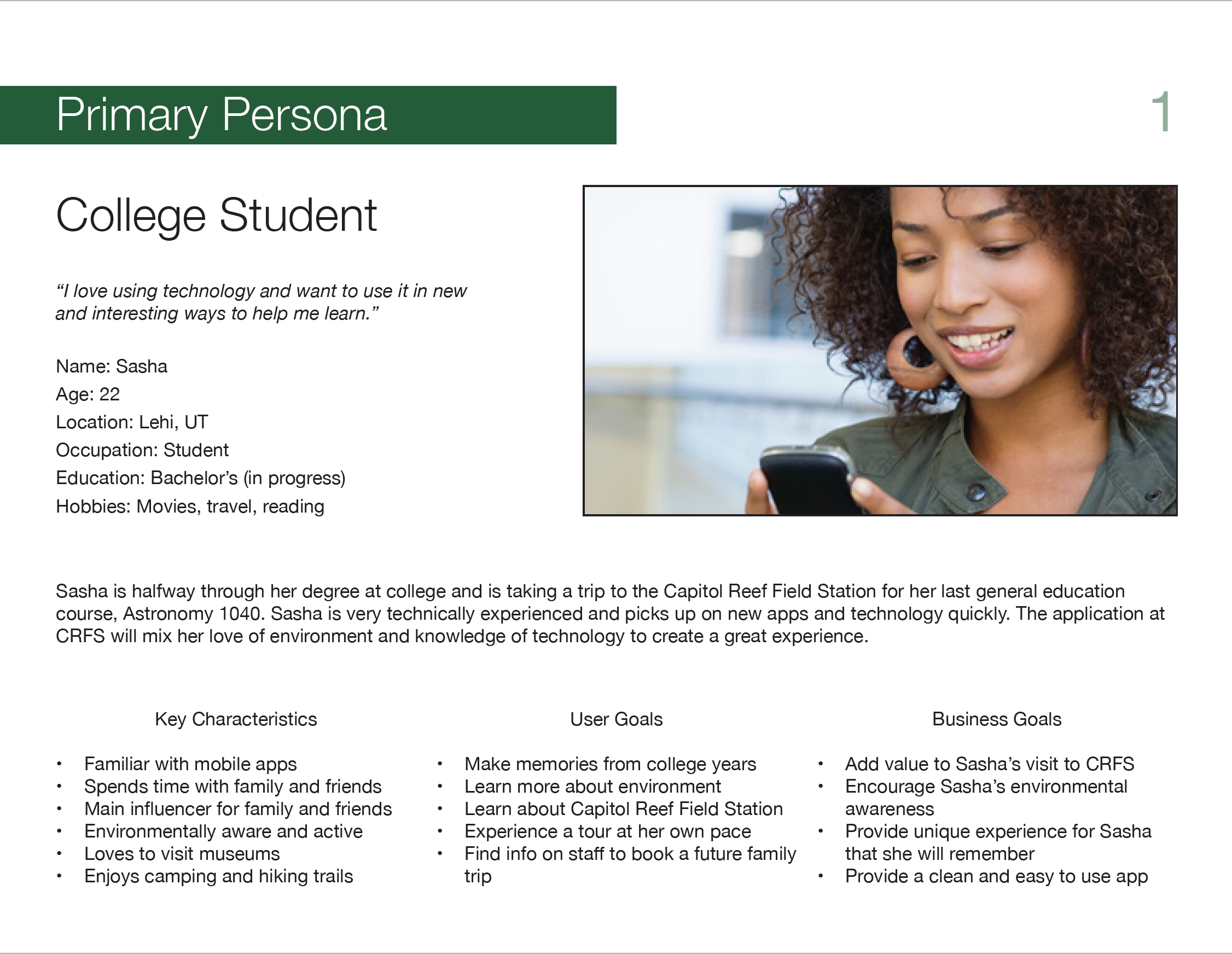
To help determine the strategy for developing a proximity beacon app for Capitol Reef Field Station, the team came up with multiple personas to help understand the needs and goals of the audience. After analyzing what we needed from the target audiences, the team came up with detailed profiles for each persona to represent the goals of the audience.
SITEMAP AND WIREFRAMES
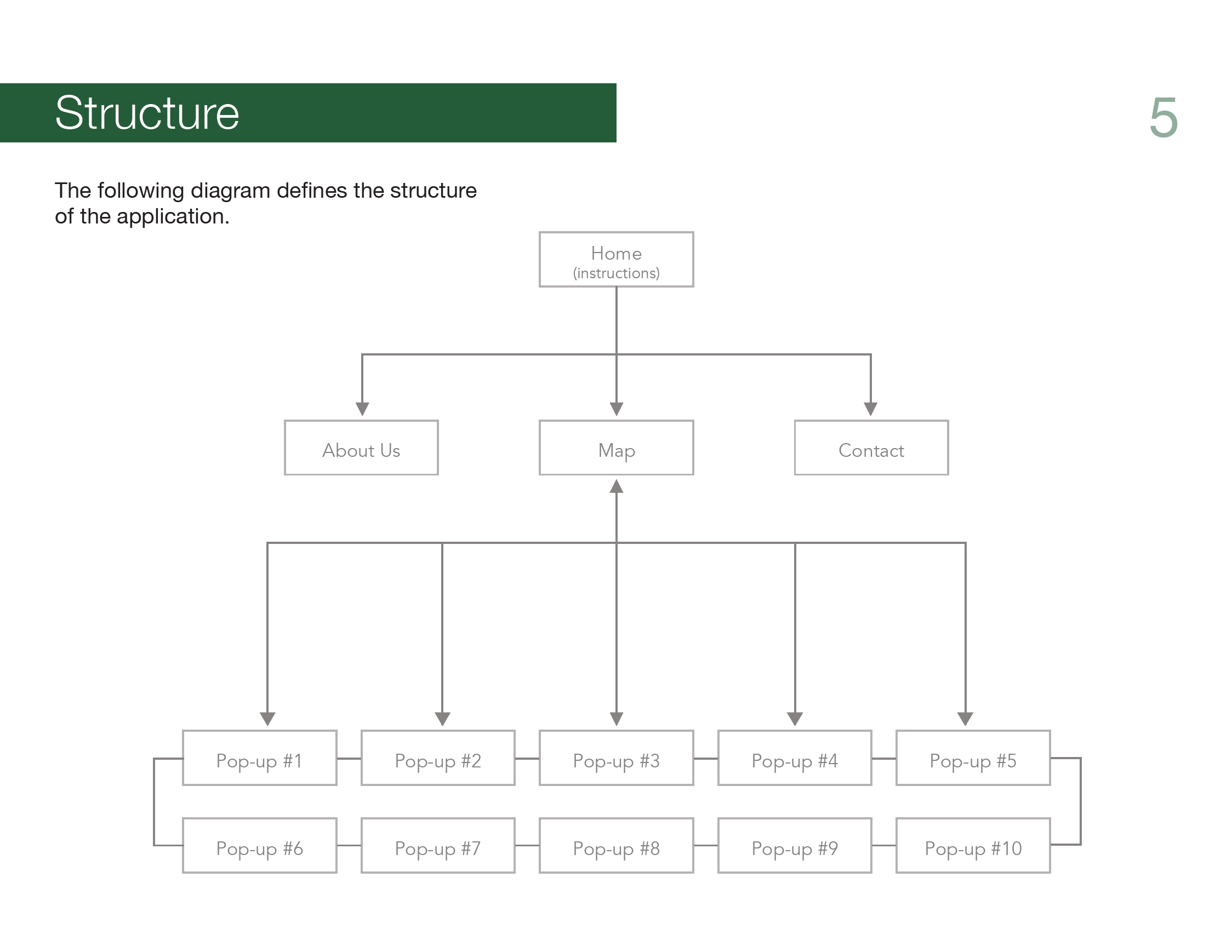
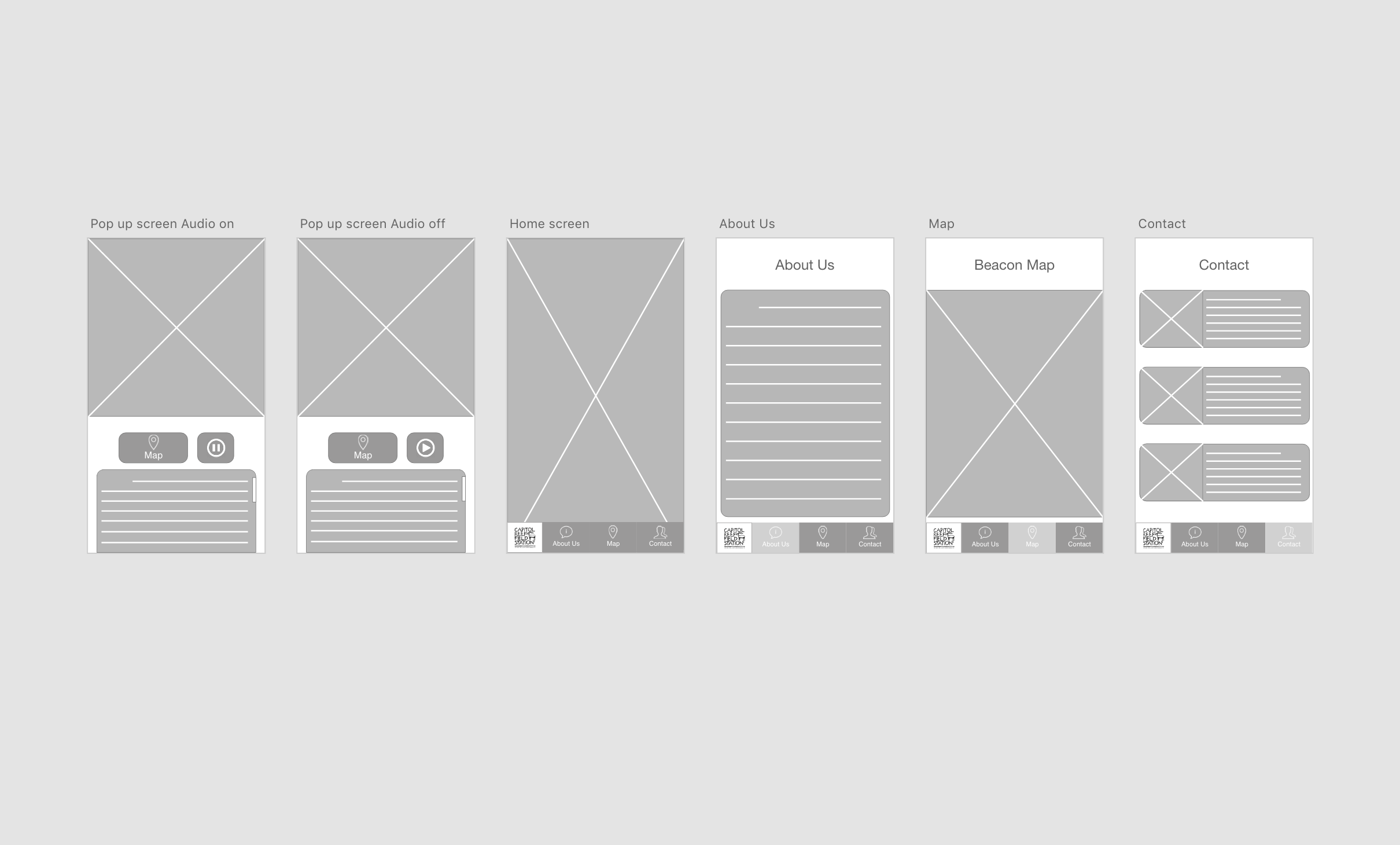
A sitemap was created to help determine the way information would be laid out and presented to the user. I started sketching, and quickly turned those sketches into low fidelity wireframes using Adobe XD. During the time I worked on the wireframes some changes were made to the app that would enhance usability.
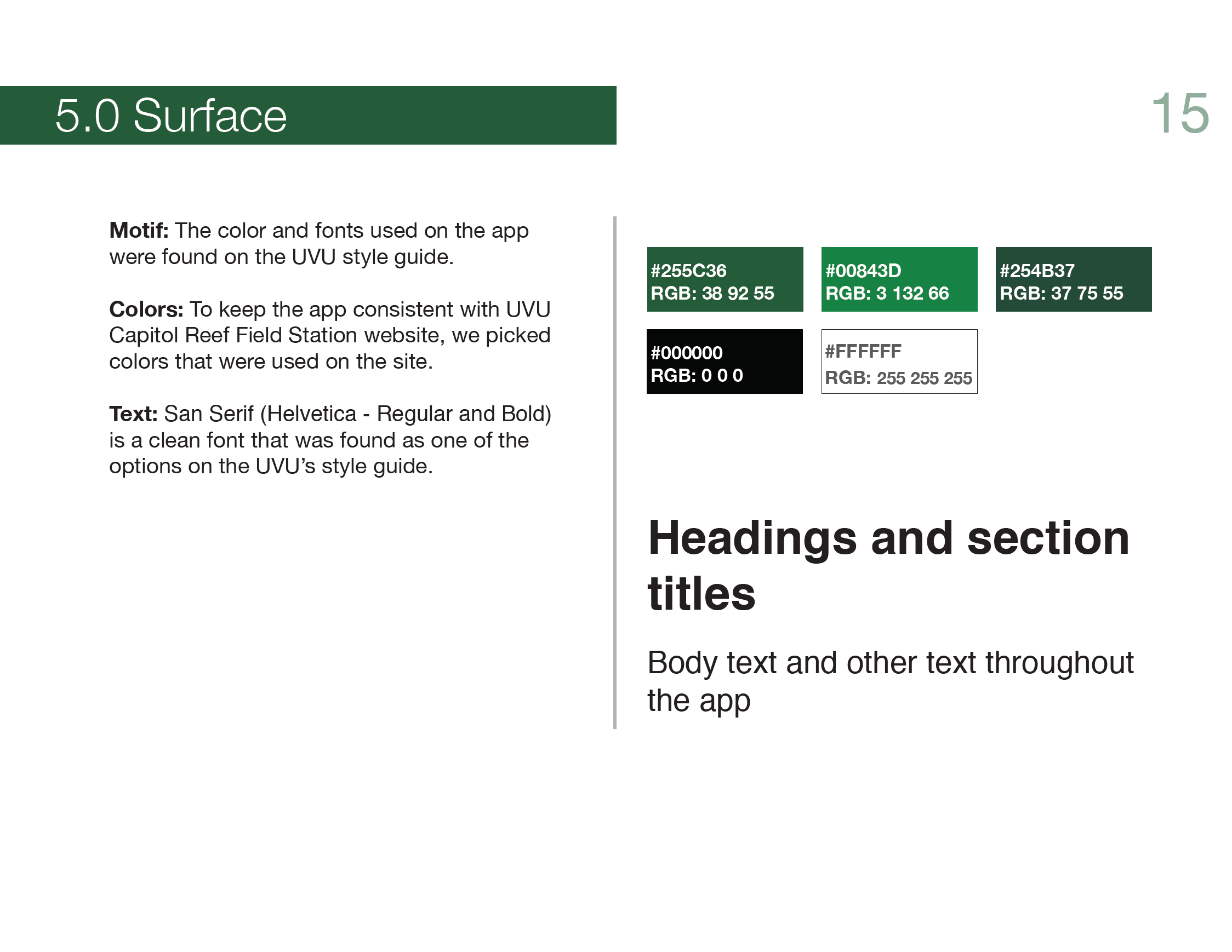
When the time came to create high fidelity wireframes I decided to keep the app consistent with UVU Capitol Reef Field Station website, so we picked colors and font that were used on the site.
PROTOTYPING AND TESTING
In order to get a feel of the app and do some user testing I created a prototype using Adobe XD. I tested the app with students, to see if they could get around the app and understand what they needed to do when they were in range of a beacon. At this point it was decided that further testing would be done at CRFS when we had the first version of the app running.
We were able to test the app at CRFS once we placed the beacons around the station. Visitors that were at the station during our trip tested the app for us. The testers understood the instructions for the most part and were able to get through the entire experience. We found that android phones had a delay of at least 10 seconds when coming into range of a beacon and that the Bluetooth signal could be easily blocked by anything standing in between the user and the beacon. To deal with these issues, we placed the beacons at high and cranked up the range of the signals to alleviate the issue with android devices. Some changes were also made to the app to make instructions more clear for the user.